Tag

After working on the software for my previous post “Brag” https://bradfordbruce.tech.blog/2023/09/09/brag/ , I thought I would create something that makes the job of tracking team member performance easier. In the same spirit of Brag, I wanted Tag to be super simple. It has two additions (select a team member and add a team member) See the previous post for more on the thought process behind this application.

If you are interested in checking it out, for yourself, you can find the project at https://github.com/NJ-Brad/Tag  A compiled version can be downloaded at https://github.com/NJ-Brad/Tag/releases

Feedback is appreciated, both here for the article and on GitHub for the application

Brag

Every place where I have worked, since college, has had annual reviews, where I find out from my boss how they feel I am doing.  In most of these positions have allowed me to provide my own achievements, prior to my boss creating this document.

It can be really hard to come up with a list of my “greatest hits” from the previous year.  I have tried physical notebooks,writing in a day planner, Word documents and OneNote, to track my achievements.  They have all had some “friction”.  An unnecessary “gear change” that takes me out of my zone.  By the time I’ve found the right place to record my note I’ve broken the flow of what I was working on.

I solved this problem with Brag.  It is a simple console application (currently only verified on Windows) that allows me to enter a note, with minimal distraction, and quickly return to my tasks.

This application is written in C#, using .Net 8.  It demonstrates a few philosophies I try to leverage when programming.

+ KISS – keep it safely simple (keeping it so simple that it’s hard to make a mistake)

+ YAGNI – Don’t add features, just because you can.

+ Crash and Burn early – Small mistakes early are easier to fix

I accomplish these in a few ways.

1. Easy to start – Single file .exe.  No need to install anything else

2. Easy to use – Menu driven, with prompts along the way

3. Limit user decisions – By leveraging environment information to determine file location, the user does not need to be distracted by choices

4. Keep the options limited to the task at hand – When I first started writing this application, I had lots of ideas in my head for features.  I narrowed it down to the most important ones.  Add a Brag and View the brags.

5. Only add features when necessary or useful – One example of this is showing the folder name, when exiting the application.  The user can edit the files all they want, but that is not the goal of this application.  Another example of this is the add option on the command line.  It allows the user to not even have to pick from the menu, when adding a brag.

6. Each chunk of UI functionality was tested and verified in their own “harness” program.  I was able to test the scroller, without having to navigate to where it is used.  The same with the MenuList and Console2.  Once they were working properly, I then added them to the main application.

If you are interested in checking it out, for yourself, you can find the project at https://github.com/NJ-Brad/Brag  A compiled version can be downloaded at https://github.com/NJ-Brad/Brag/releases

Feedback is appreciated, both here for the article and on GitHub for the application

One on Ones–They shouldn’t just be chit-chat

Groundwork

Determine the format of the agenda that you would like to use.  I like to start with time for my team member to discuss whatever they want, then it’s time for my topics.  Occasionally, I set aside time for discussion of career planning.  (Thank you https://www.manager-tools.com/ Check
out their podcast archive for lots of useful one on one advice. )

Create a log of feedback for your team members.  It is better to give feedback as close to the
event as possible.  If it is not possible to deliver it in a more timely manner, your one on one meeting is better than not giving the feedback.  I track who it is for, what it relates to (meeting, work product etc) and any other details of feedback.  Even if I have delivered the feedback already, I make a note to assist during reviews.

Another type of information that I track is work items for team members.  These can be things that will be done before the next one on one. They can be career progression goals.

Prepare

Preparation for a one-on-one should be done before the meeting.  This will make the meeting more effective because you will have your information readily available. Start with a consistent agenda.  (See groundwork)

Add additional discussion points, such as

  • Include any agenda items that your team member
    has requested

  • Include feedback notes

  • include action items from previous meetings

  • Include any measurable performance information.  These can include the number of work items
    completed and the number of defects.

Conduct

I usually like to be hands-off-keyboard during my one-on-ones.  I may print the agenda.  This allows me to turn off the monitor completely, in an in-person meeting.  Otherwise, I will have it visible on my screen.  Either way, I make notes by hand.

Review

Immediately (or soon) after the meeting, go through your notes.  Update the status of any action
items and notes. Make note of any new action items and feedback notes

Repeat a day or two later, to make sure that you didn’t miss anything.

Repeat again, as you begin preparing for the next one-on-one

I hope these tips prove useful for you

Time to update my "office"

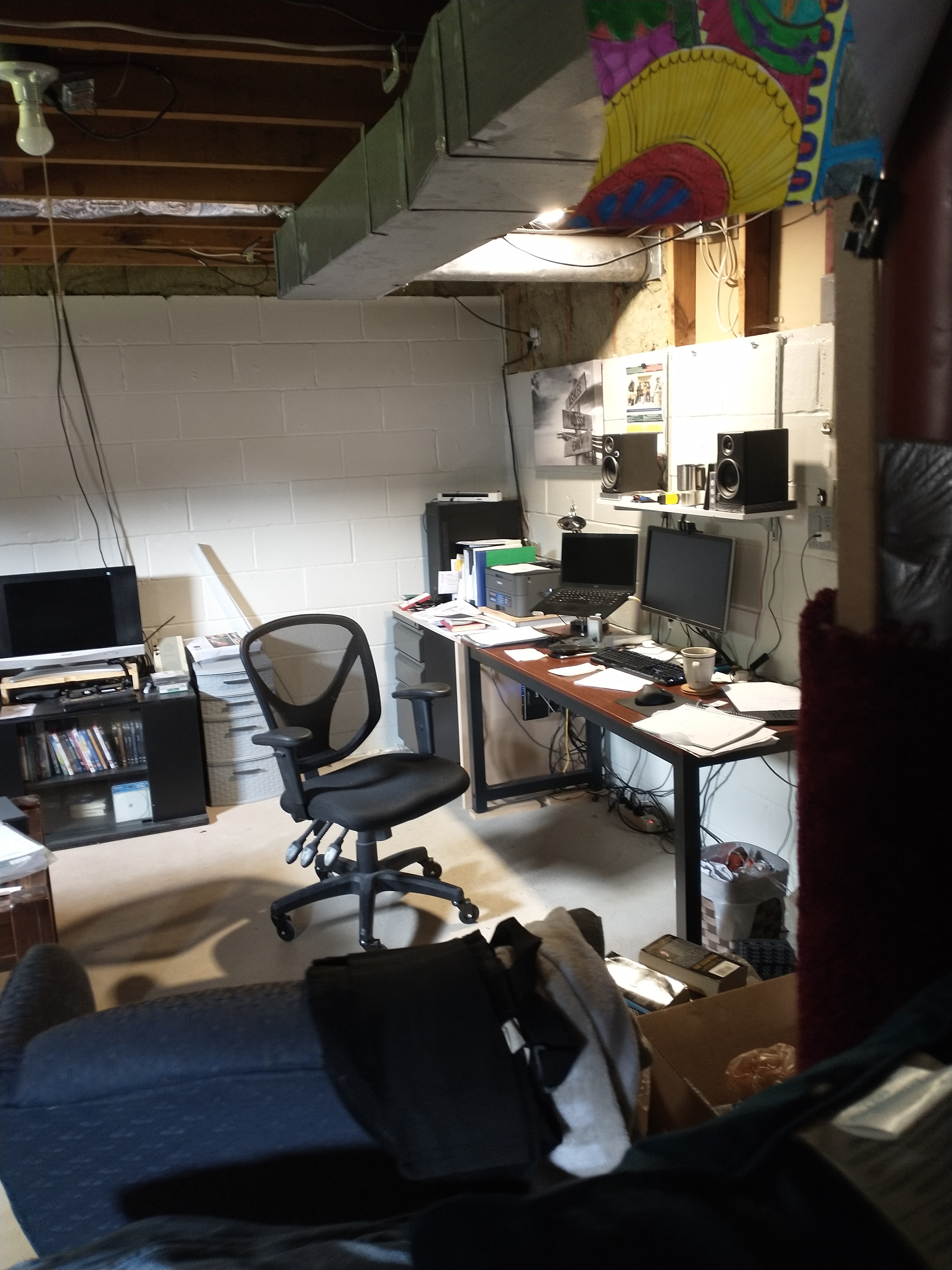
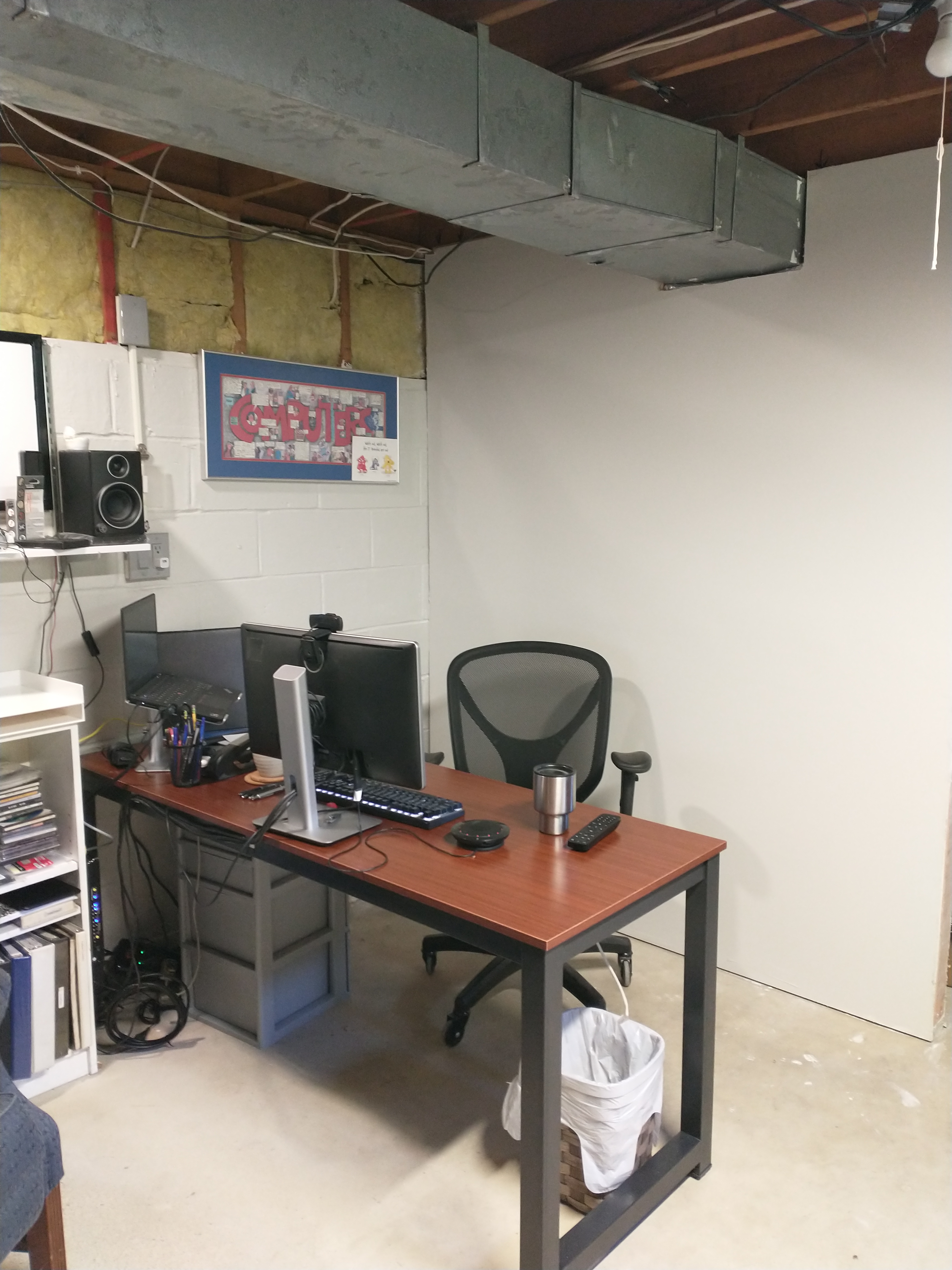
After more than a year of video calls, I decided it was time to update my “office” Here’s what I started with.

Problem

Yes, it needed a serious cleaning. That isn’t the whole problem. Remember I said video calls? I’m not one of those people who has an extra room to turn into an office. I work out of my basement. This was the best place for me to get work done. I tried the backgrounds, available in most conferencing software, but I wear glasses and they would blink in and out of existence during calls. Without a virtual background, this is what the world sees.

WIN_20210827_12_49_47_Pro

Yikes! In order do improve the situation, I hung a blanket from the ceiling. A little bit better.

WIN_20210912_18_18_43_Pro

The problem? It didn’t feel “right” and I had to set it up each time I was going to be on a call. The solution? It was staring at me every day.

Location-Copy.jpg

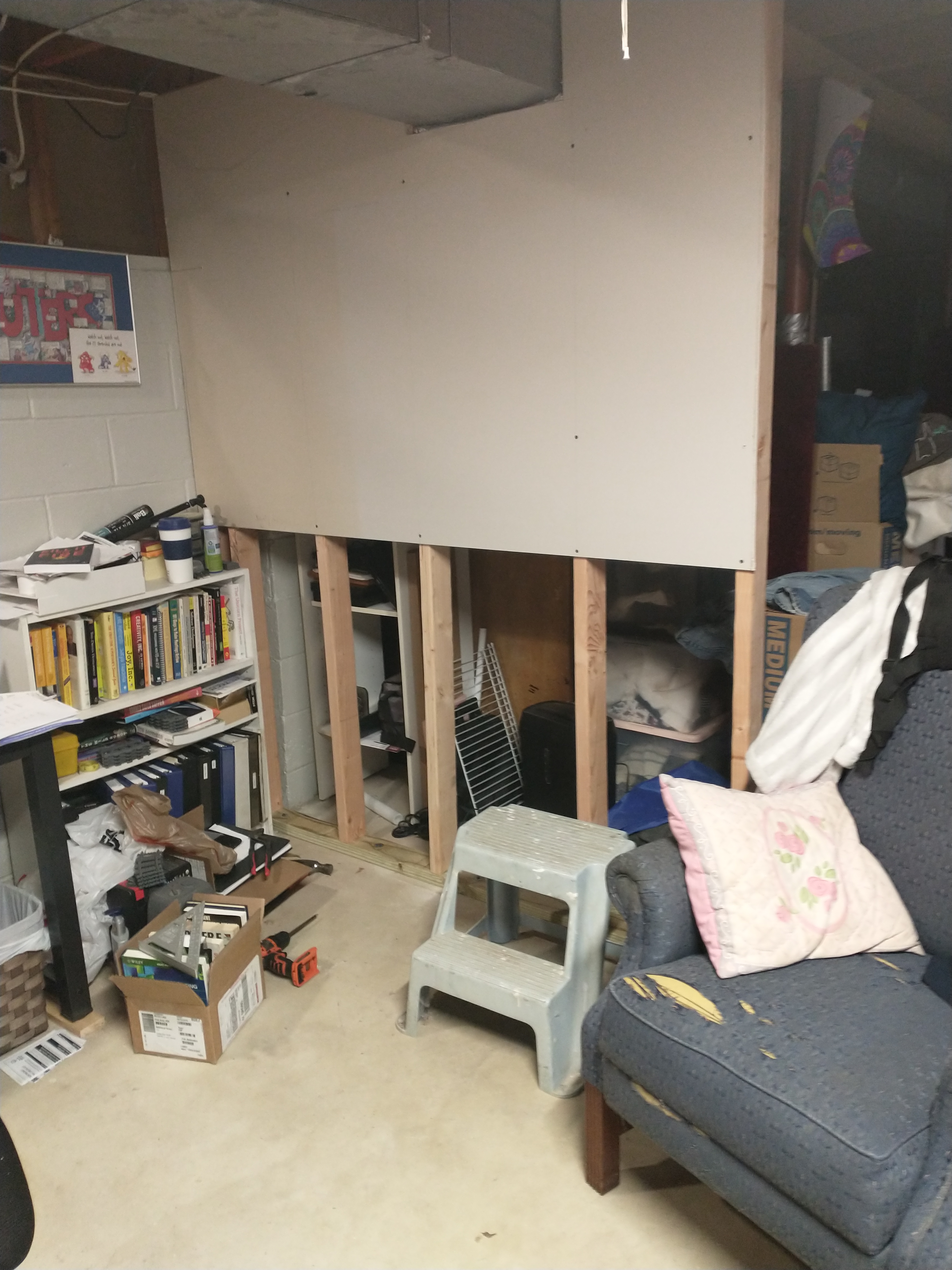
I needed a real wall behind me, and I knew where to put it. Here’s some progress

InProgress

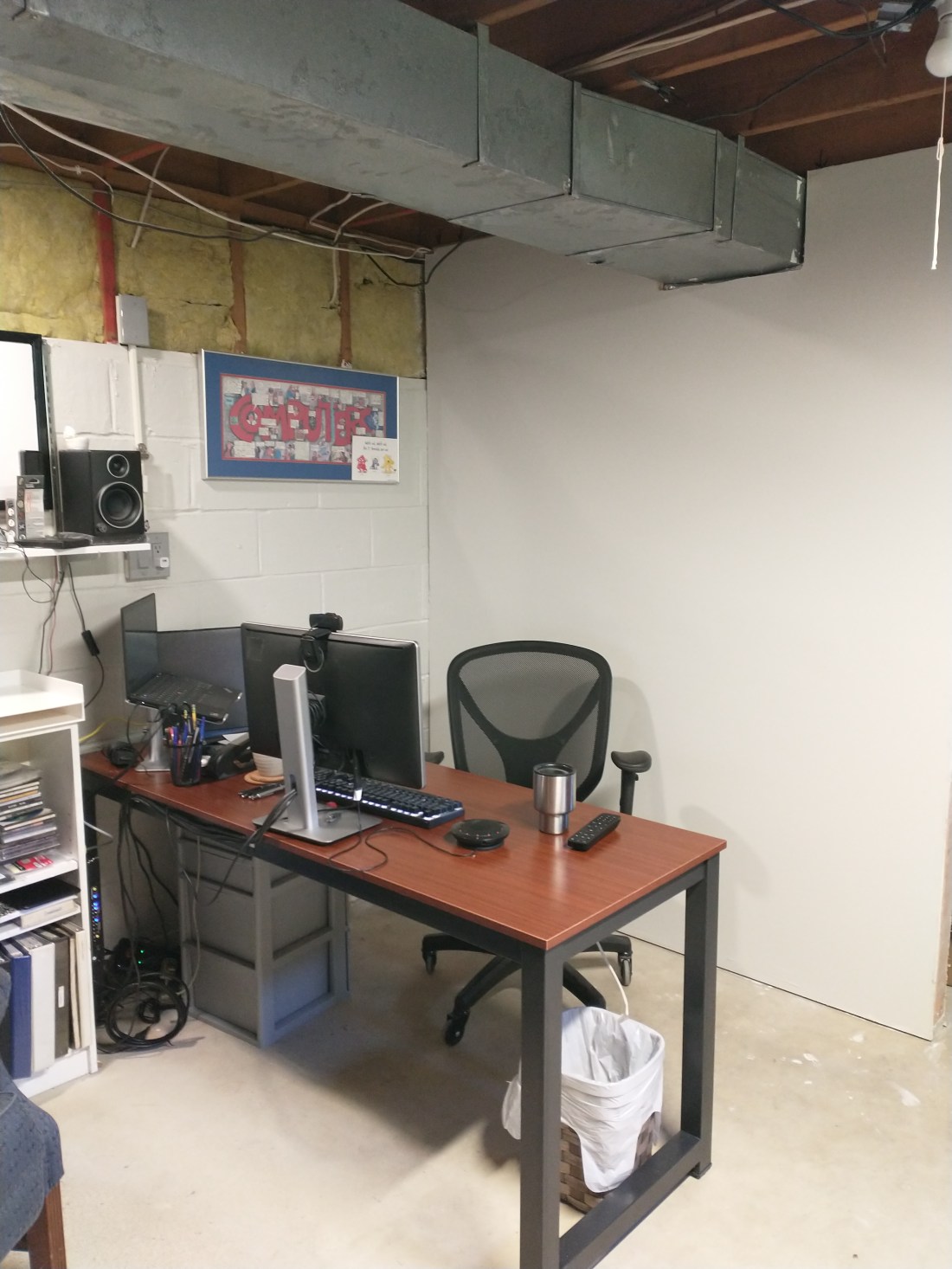
Here it is, “finished”

After

Some might say that I’m wasting space by having the desk away from the wall. It’s worth using a little bit more space. All I need to keep visually clean is the space between my desk and the wall. I don’t have keep half of the basement ready to go. Another benefit is that I can also watch TV while reading email.

WIN_20211001_12_16_49_Pro

Next step, a few more tweaks to the lighting, and arranging the speakers

C4 Diagrams using PlantUML and VSCode (on Windows 10)

I was doing my daily scan of Twitter the other day and came across this https://twitter.com/DinisCruz/status/1304389504661434369

One of the commenters questioned how it was implemented, and there were a few follow up comments.  Below are my steps for getting started

  1. Install Chocolatey (if not already installed) Open a command prompt, in adminstrator mode Type:
    @”%SystemRoot%\System32\WindowsPowerShell\v1.0\powershell.exe” -NoProfile -ExecutionPolicy Bypass -Command “iex ((New-Object System.Net.WebClient).DownloadString(‘https://chocolatey.org/install.ps1′))” && SET “PATH=%PATH%;%ALLUSERSPROFILE%\chocolatey\bin”

2. Install PlantUML
choco install plantuml

3. Install VS-Code
choco install vscode

4. Download the file from https://github.com/RicardoNiepel/C4-PlantUML/blob/master/.vscode/C4.code-snippets and save it to the folder %APPDATA%\Code\User\Snippets
This will allow you to use C4 snippets from any project.
If you only want to use the snippets from a single project, store the file in a .vscode folder in your project

5. Add the PlantUML extension (still at the command line)
code –install-extension jebbs.plantuml

6. Open VS-Code

7. Create a sample puml file

@startuml Basic Sample
!includeurl https://raw.githubusercontent.com/RicardoNiepel/C4PlantUML/release/1-0/C4_Container.puml
Person(admin, “Administrator”)
System_Boundary(c1, “Sample System”) {
    Container(web_app, “Web Application”, “C#, ASP.NET Core 2.1 MVC”, “Allows users to compare multiple Twitter timelines”)
}
System(twitter, “Twitter2”)
Rel(admin, web_app, “Uses”, “HTTPS”)
Rel(web_app, twitter, “Gets tweets from”, “HTTPS”)
@enduml

8. Click Alt-D to open the preview

I hope this helps someone get started. This was my first real foray into VS-Code.  It won’t be my last.

Software Architecture Diagrams

Architects “aren’t” the builders.  Software architects need to be able to communicate design with many other people.

Infrastructure – They have to build out the hardware

Database Administrators – They have to configure your data storage

Developers – They have to write the code, to do what you are designing

Project Managers – They need to know what is being done and how much is complete

Business Users – They need to see what is going to be produced and help determine which pieces need to come first

In order to communicate with such a wide variety of people, you need to “speak” the same language.  But what language?  How do you communicate between so many people in a way that they can all understand (without getting lost)?

A method that I have come to like is called C4.  The best source of learning how to use C4 is https://c4model.com/ 

If you have Visio, the best template I have found is this one.  https://github.com/pihalve/c4model-visio-stencil  It has a few quirks.  I created my own version of the template that fixed some sizing and connection point issues that I found. 

If you do NOT have Visio, I recommend Draw.IO.  It can be used, directly from the browser https://www.draw.io/ , or by downloading the stand alone version from, https://github.com/jgraph/drawio-desktop/releases .  The template, and installation instructions, can be found here https://github.com/tobiashochguertel/c4-draw.io#quick-start

Working Remotely

In the world we live in, there are health and security concerns.  Even something as  mundane as bad weather can force you to work from home.  It might be just for a few days, or it could be a few weeks.

Below are a few tips to make this easier.

  • Make sure that those around you know that you are working.  Taking a conference call from the living room, with kids running around can be quite distracting.
  • Take care of issues at home.  Plan to have gaps between meetings.  There may be others at home as well who have needs.
  • Get a good headset – you will be doing more conference calls than you are used to.  Having a good WIRED headset helps.  You do NOT want the battery to die in the middle of a call.  I use a Jabra voice UC 750.
  • Get dressed.  It puts you in a “work” mode.
  • Respect your coworker’s status.  If their chat status says “do not disturb”, send an email.  Don’t connect via IM.
  • Use a good keyboard.  If you are not used to working on your laptop keyboard, get a keyboard for use at home.
  • Get a good monitor.  Laptop monitor’s are not always the best option
  • Each meeting needs a moderator.  The moderator should make sure that everyone gets a chance to be heard, without talking over each other.
  • When on a conference call, avoid side conversations.  Use the chat feature to let the meeting moderator know that you have a comment.
  • VPN setup.  Make sure that you have the correct settings for your company’s VPN.  This will allow you to connect to your office.
  • TEST EVERYTHING AHEAD OF TIME.  You don’t want to be late to a meeting because you didn’t test out your setup

The opinions expressed are mine.  They do not necessarily reflect those of my employer.

Blazor WAsm (web assembly) is awesome

Wow this technology needs a better name.  Blasm maybe?

If you have not heard of Blazor, you should check it out.  Microsoft’s Blazor Page

Imagine the freedom that JavaScript brought to web pages 25 years ago.  Now add the performance and flexibility of C#.

Now imagine if I told you, it already works.  Yep.  All mainstream web browsers support web assembly.  That’s all it takes to support Blazor.

Since it is compiled, it is FAST.  “Blazing” fast.

Music for programming

I ran across this from .Net Rocks.  Among the many talents one of the hosts Carl Franklin (.Net Rocks), possesses is a love of music and the talent to create it.

He put together “Music to Code By”.  In this case the word music is not quite what you might expect.  It doesn’t have any distractions, such as melody.  More information can be found on his web site.  http://mtcb.pwop.com/

There are other choices such as https://www.youtube.com/watch?v=xTgee06CgLg

and https://www.youtube.com/watch?v=xTgee06CgLg

Whatever you choose, remember the idea is to provide focus and get you in the groove.

For those particularly nasty bugs https://www.youtube.com/watch?v=5wt2WtZUCuo  (Left Cheek, Left Cheek)

Some times you’ve got to get stuff done.  https://www.youtube.com/watch?v=xTgee06CgLg or https://www.youtube.com/watch?v=tGh4FcZKekA

And finally.  There are celebrations https://www.youtube.com/watch?v=e9vrfEoc8_g and https://www.youtube.com/watch?v=BjDaPOWdx6s